






















Fill each numbered area with its colour
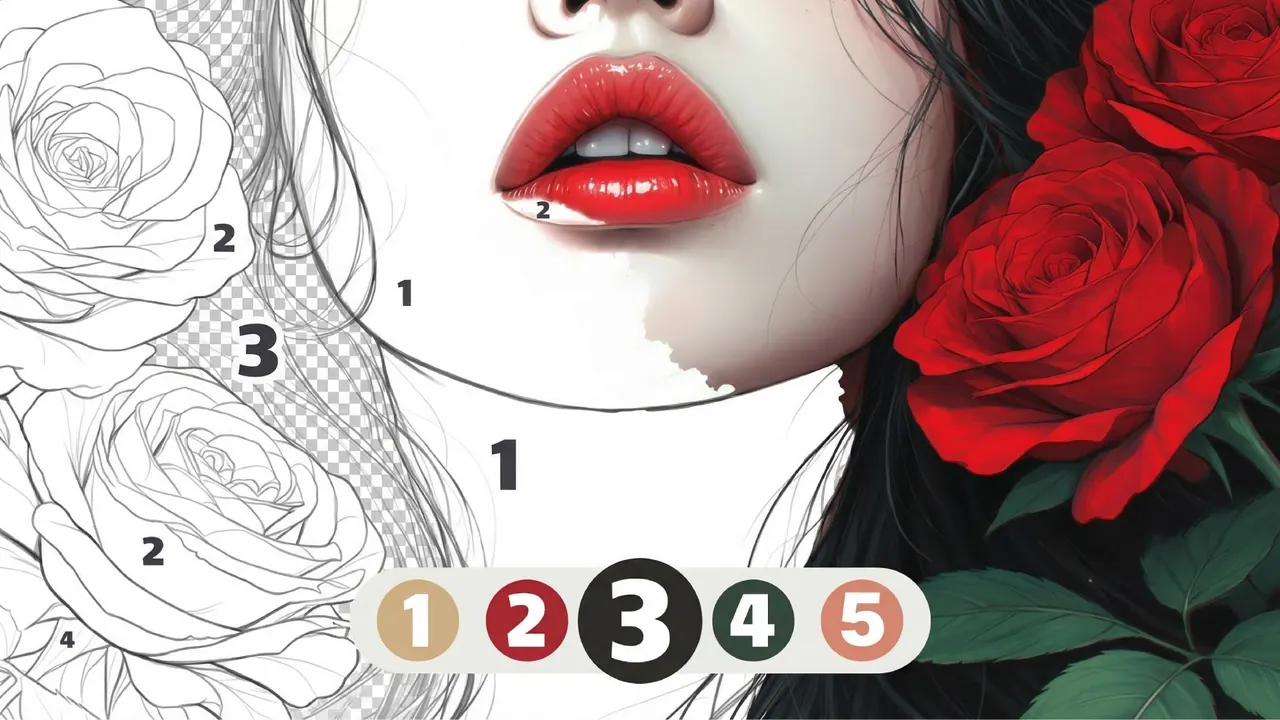
Numicolor is a colour-by-number game that opens straight onto a line drawing, starting with a cupcake topped with a cherry. Every area carries a number, and the palette down the right side holds the matching colours. Choose a colour and the areas you can paint turn checkered, then tap them to fill them in. A short tour explains the basics, and a hint button waits in the top corner.
How to play Numicolor
- Take the short tour, or skip it if you know the idea.
- Select a colour in the palette on the right; its areas turn checkered on the picture.
- Tap or click those areas to fill them, and the swatch shows a ring as that colour fills up.
- Drag to move the picture and use the mouse wheel to zoom into small areas.
- Work through every number until the whole picture is coloured.
Controls
| Mouse click / tap | Choose a colour and fill an area |
|---|---|
| Drag | Move the picture |
| Mouse wheel | Zoom in and out |
Tips to play better
- Zoom in on small numbered areas, such as the cherry, before you tap them.
- Finish one colour at a time; the ring around its swatch shows how close you are.
- The hint button in the top corner helps when a tiny area is hard to find.
Advertisement
Numicolor FAQ
How do I see which areas use a colour?
Select that colour in the palette: every area with its number turns checkered on the drawing.
Can I zoom in on Numicolor pictures?
Yes. The tour explains that the mouse wheel zooms and that you can press and drag to move the picture.
Advertisement